
How do you become a Shutterstock contributor and sell video in 2026?
Sign-up, specs, FTPS upload, the CSV, two categories, data licensing, earnings levels and payouts by country for Shutterstock video contributors. Dated and sourced.
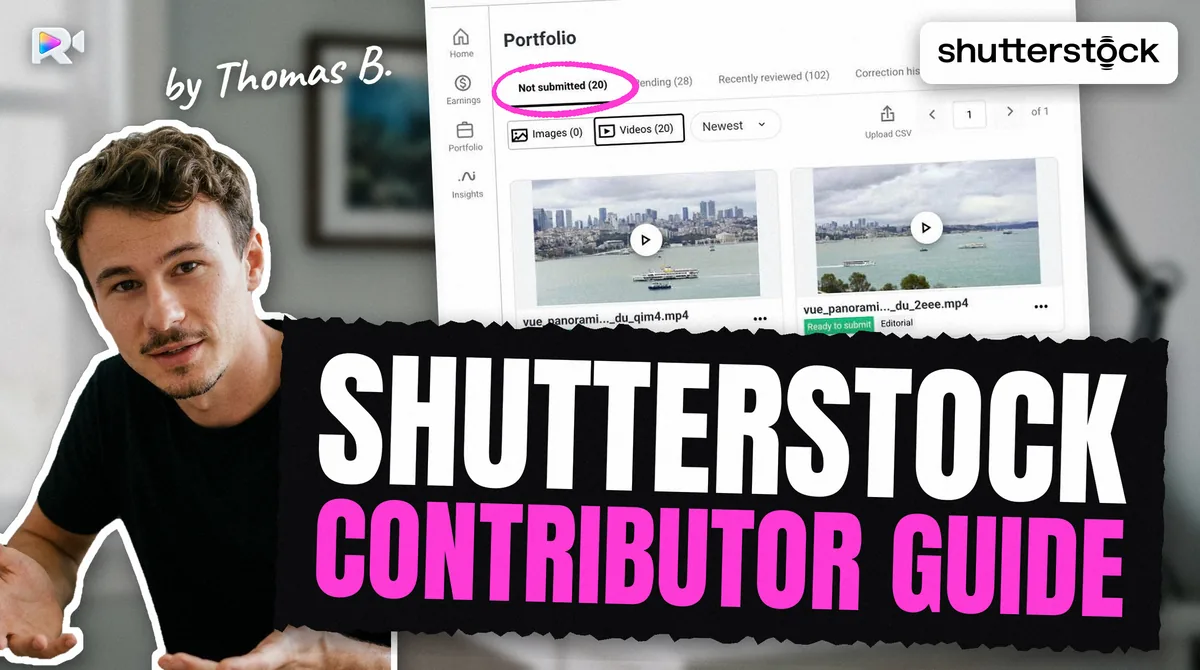
This guide covers the whole path for a video contributor on Shutterstock in 2026: the account, the specs, the upload, the CSV, review, money and tax. Each fact gives its source and the date it was checked. A value marked measured was read on a live contributor account, not on a help page. Where two Shutterstock pages disagree, both are shown.
The same account sells photos too. Sign-up, payouts, tax and the CSV work the same way for both; the specs and the submission limit below are for video.
At a glance: Shutterstock for video contributors
Checked on 28 October 2026, unless the row says otherwise.
| Topic | Shutterstock, for video | Source |
|---|---|---|
| Who can join | Anyone with a legal name, email and address; not from Russia or Belarus | Sign-up page, 2026-03-19; Russia and Belarus page |
| ID document | Not mentioned on the sign-up page | Sign-up page, 2026-03-19 |
| Tax form | Needed to submit content and to be paid | Sign-up page, 2026-03-19 |
| File types | .mov or .mp4; H.264 or ProRes; H.265 accepted but discouraged | Technical requirements, 2025-12-17 |
| Length | 5 to 60 seconds | Technical requirements, 2025-12-17 |
| File size | 10 GB on the specs page; 4 GB on the file size error page | Pages of 2025-12-17 and 2025-07-14 |
| Frame rates | 23.98, 24, 25, 29.97, 30, 48, 50, 59.94, 60 | Technical requirements, 2025-12-17 |
| Upload | Browser, 100 files at a time; FTPS for everyone | Submit video, 2025-11-13; FTPS page, 2025-04-21 |
| Embedded metadata | Not read measured | Live account, 2026-09-11 |
| Metadata | Description, 7 to 50 keywords, 1 or 2 categories | Contextual metadata page, 2026-02-26 |
| Submission limit | 100 video clips submitted per rolling 7 days | Limits page, 2025-04-21 |
| Unsubmitted files | Deleted after 21 days | Submit video, 2025-11-13 |
| Earnings | 15% to 40%, six levels, reset each 1 January | Earnings page, 2025-04-21 |
| Payout | PayPal, Skrill or Payoneer; minimum you choose, $25 to $2,000 | Payment pages, 2025-07-16 and 2025-09-13 |
| First payout | In "certain countries", 90 days after your first approved file | 90-day page, 2025-07-15 |
How do you become a Shutterstock contributor?
You create a contributor account at submit.shutterstock.com with your full legal name, a display name, an email address and your address, then verify the email. Shutterstock's sign-up article (dated 2026-03-19) adds one condition that matters more than the rest: "A valid tax form is required in order to receive payments and submit content."
Four things catch people out:
- Use your legal name. The sign-up page asks for your "full legal name". A business must use its legal business name. Payouts and the tax form depend on it.
- Fill the tax form early. Without an approved tax form you cannot submit, and Shutterstock's upload troubleshooting page (2025-12-15) says the Upload and Submit buttons are disabled when the form is still missing 90 days after the first reminder.
- One account per person. The contributor guidelines (2025-09-23) forbid a second account without Shutterstock's permission.
- Russia and Belarus. Shutterstock does not take new contributors from either country (help article).
The sign-up article we read mentions no fee.
Is Shutterstock legit, and is it safe for contributors?
Yes in the sense that matters for a contributor: Shutterstock is a US company that files reports with the SEC, publishes its rules on a public help centre and pays through PayPal, Skrill and Payoneer. It is also a company in a difficult year, and both facts are worth knowing before you put years of footage on it.
What the public record says:
- Results. Shutterstock's Q2 2026 report (8-K, Exhibit 99.1, 2026-08-04) gives revenue of $221.8 million, down 17%, and 98.7 million paid downloads against 112.6 million a year earlier, with an interim CEO and no guidance.
- The Getty merger is off. Getty and Shutterstock ended their planned merger in July 2026 (CEPIC). Shutterstock stays independent. Getty itself filed for Chapter 11 in October 2026: see our Getty Chapter 11 page.
What puts an account at risk, from Shutterstock's own guidelines (2025-09-23):
- several warnings can lead to suspension or termination;
- intentional infringement leads to immediate termination;
- a second account without permission is forbidden;
- deliberately ignoring the similar-content rule can lead to suspension (similar content, 2025-07-11);
- putting back a keyword that an administrator removed counts as a violation.
One risk is easy to create by accident: a duplicate, the same clip sent twice because an upload looked lost. Our article on why duplicate uploads get accounts suspended explains how to avoid it.
Is it safe to give Shutterstock your documents? The sign-up page asks for your name, address and a tax form, not an ID. The tax form carries your tax details, as at every US agency that withholds tax.
Does Shutterstock verify your identity?
The 2026 sign-up page does not mention an ID document, a passport or an ID card. It asks for your full legal name and verifies your email. We found no current official page that says an ID is required, and the one blog we found that says otherwise dates from 2017. Searches like "does shutterstock accept aadhar card" exist, but we found no Shutterstock page that answers them. We leave it as an open question rather than guess.
What Shutterstock does instead, in some countries, is hold your first payout: see the 90-day waiting period.
What are Shutterstock's requirements for video?
A clip must be a .mov or .mp4 file, 5 to 60 seconds long, at least 480 pixels high, at an accepted frame rate, and carry no audio unless the audio adds to the clip. Those rules come from Shutterstock's technical requirements for video (updated 2025-12-17) and its upload error page (2026-03-23).
| Rule | What Shutterstock accepts | Note |
|---|---|---|
| Container | .mov, .mp4 | |
| Codec | ProRes 422 / HQ / LT / 4444, H.264 (best quality), PhotoJPEG, MPEG-4, Animation, PNG | H.265 accepted, discouraged for an HDR compatibility issue |
| Length | 5 to 60 s | Longer only for a complete loop or transition (clip length, 2025-04-22) |
| Size | 10 GB | Another page says 4 GB: see below |
| Frame rate | 23.98, 24, 25, 29.97, 30, 48, 50, 59.94, 60 | 48 fps is accepted, unlike Adobe |
| Resolution | From SD 640×480 to 4800×2700; height at least 480 px; width ÷ height at least 0.5 | Pillarbox refused unless archival; letterbox refused (resolution, 2025-11-24) |
| Vertical | HD and 4K, shot vertically | See the contradiction below |
| Audio | None, unless it enriches the clip or it is editorial | No added music or effects (audio, 2025-07-15) |
| Phone video | Accepted, horizontal or vertical | Mobile page, 2026-03-13 |
To check a clip against these rules before you send it, read it in the spec checker below. The file stays on your computer.
Contradiction: file size. The technical requirements (2025-12-17) give a 10 GB maximum. The file size error page (2025-07-14) shows the message Your file is too large. for videos over 4 GB. Neither page mentions the other. Until Shutterstock settles it, a file under 4 GB is safe on both readings.
Contradiction: vertical video. Shutterstock's policy updates (2025-04-22) say that since February 2024 contributors no longer need to rotate vertical clips to horizontal, and that old rotated clips should be removed and sent again. The mobile device page, updated more recently (2026-03-13), still asks you to rotate vertical clips into a horizontal position before submitting. Follow the policy page and the specs page, which both describe native vertical video.
Contradiction: file names. The troubleshooting page (2025-07-15) says punctuation other than underscores may cause an upload error. On a live account, names with spaces, accents, commas and about 250 characters were all accepted measured. Letters, digits and underscores are still the safe choice.
How do you upload video to Shutterstock: browser or FTPS?
Everyone can use both. The browser takes 100 files at a time (submit video, 2025-11-13). FTPS is open to every account, unlike Adobe's SFTP, and suits large 4K files.
FTPS settings, from Shutterstock's FTPS page (2025-04-21), checked on a live account on 2026-09-11 measured:
- host
ftps.shutterstock.com, port 21; - explicit FTP over TLS (
AUTH TLS); implicit FTPS on port 990 is closed measured; - your contributor email or user name and your account password: there is no separate FTP password;
- files at the top level; the root holds only a
releasefolder measured.
Where the clip goes, and when. Shutterstock's help says to allow up to 72 hours for an FTPS upload to appear. On a live account, a delivered file reached the portal about 2 seconds after its transfer ended (2026-09-11) measured. The file leaves the FTP root once it is taken in, so you cannot read its size back. Both can be true: 72 hours is the worst case.
Upload error messages, decoded.
| Message | Likely cause | What to do |
|---|---|---|
Your video's height is less than the required minimum 480 pixels | Height under 480 px | Export in HD or 4K |
Your file is too large. | Over 4 GB on that page's rule | Compress under 4 GB |
The clip's metadata could not be read, or the clip was only partially uploaded. | An interrupted or incomplete transfer | Delete the unprocessed file and send it again |
Please enter at least 7 keywords. | Pasted keywords not confirmed with Enter | Click in the pasted line and press Enter |
| FTPS login declined | A separate FTP password tried, or the wrong account | Use the portal's own email and password |
| Clip not visible after FTPS | It is still being taken in, or already in Not submitted | Wait and check Not submitted; never send it again only because it is not yet listed |
How do the CSV, two categories and keywords work?
Shutterstock does not read metadata embedded in the video. A probe clip carrying an XMP title, description and keywords came out with an empty description, no category and no keywords (2026-09-11) measured. Adobe Stock and Pond5 do read those fields; Shutterstock and Getty do not. So on Shutterstock the metadata goes in through the portal or a CSV.
Each clip has a description, keywords and one or two categories. There is no separate title.
- Description. At least five words in English (title and keyword rejections, 2025-09-13). No keyword lists, no repetition.
- Keywords. 7 to 50 unique keywords. They are read back in alphabetical order measured, so the order you send does not rank. On a live account, Shutterstock silently dropped some keywords on 9 clips out of 15, keeping 37 to 48 of the 49 sent (2026-09-16) measured.
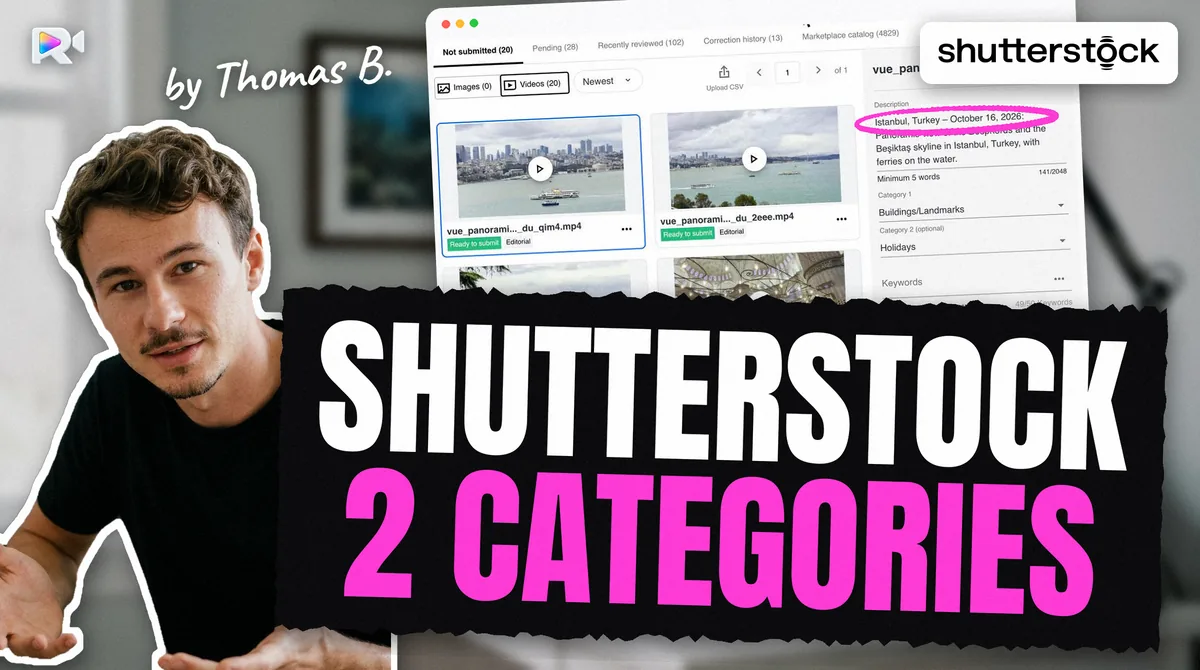
- Categories. Pick one or two from the list. When the second slot is left empty, the portal fills it itself. Our article on Shutterstock video categories lists the 19 video categories the portal loads and how to fill both slots.
The CSV. You upload it on the Submit page, never with the media over FTPS (CSV page, 2026-09-08). The headers must match the portal's sample exactly, in English even in another interface language measured:
Filename,Description,Keywords,Categories,Editorial,Mature content,illustration
| CSV fact | Measured on 2026-09-11 |
|---|---|
| File name | Must include the extension; a mismatch gives ERROR_MEDIA_MISSING_ASSET in the error file |
| Booleans | Lowercase yes or no |
| Description | 200 characters per the CSV dialog; the panel's own field allows 2,048 |
| A second apply | Replaces description and keywords wholesale, including your manual edits |
| An empty category cell | Leaves the existing categories unchanged |
Contradiction: description length. The portal's field accepts 2,048 characters, while the CSV dialog advises 200. Keep it under 200 to satisfy both.
Contradiction: header case. The help article writes Mature Content and Illustration. The portal's own sample writes Mature content and illustration, and its dialog says the names must match exactly. Use the sample.
Editorial. Shutterstock takes editorial video. The description then starts with a dateline: "CITY, STATE/COUNTRY – MONTH DAY, YEAR:", and the Editorial column is set to yes. The place and date must come from your own records.
Here is the real cost of Shutterstock's metadata. Nothing in the file carries over, so every clip is typed in or built into a CSV row by hand, headers exact, file names exact, categories from the list. Then a second CSV apply silently wipes the edits you made in the portal. A batch of 40 clips is 40 rows that must all be right the first time.
How many clips can you submit, and what happens after upload?
You can submit 100 video clips per rolling 7 days (limits page, 2025-04-21). Unlike Adobe, Shutterstock publishes the number.
After upload, a clip waits in Not submitted until you press Submit. Shutterstock deletes files you never submit after 21 days (submit video, 2025-11-13). Uploading is not submitting.
Review time. Shutterstock publishes no number. Its help says content is reviewed in queues by media type and marketplace, sometimes with a second opinion, and that clips which are candidates for data licensing can take longer (pending review, 2025-10-17). Do not delete and resubmit a pending clip: that same page says it may get it permanently blocked.
What does "accepted for data licensing only" mean on Shutterstock?
It means the clip passed Shutterstock's legal, compliance and metadata checks but fell below its quality bar, so it is licensed only inside datasets, mostly for AI training, and not sold on the marketplace. Shutterstock's quality requirements (2025-07-17) describe three outcomes:
- everything meets the bar: the clip is licensed both to buyers and in datasets;
- legal and metadata checks pass, quality falls short: "the content will only be accepted for data licensing";
- a legal, compliance or metadata failure, or an "egregious" quality defect: rejected.
The policy updates page (2025-04-22) dates this for video to July–August 2024: clips once refused for technical quality can now go to data deals. Shutterstock does not say whether a data-only clip can later move to the marketplace.
How it pays. Dataset income reaches you through the Contributor Fund. Shutterstock's data licensing page describes an average 20% share of the deal's value, split by how much of your content and metadata the datasets bought, paid periodically, with a Contributor Fund column in your Earnings Summary. It publishes no amount per clip.
Opting out. You can opt out of data licensing in your account settings, with separate switches for images and video since August 2024 (data licensing). It applies to future datasets, and can take up to 72 hours (licensing control, 2025-09-26).
Why does Shutterstock reject video, and can you resubmit?
The common video reasons each have their own help article: clip length, resolution and letterbox, orientation, audio, frame rate conversion, unmotivated camera movement, noise and banding, similar content, and title or keyword spam. A few rules worth knowing:
- Similar content. The same subject at other lengths, or with another movement (tilt, pan, push), counts as similar. One horizontal and one vertical version are allowed (similar content, 2025-07-11).
- Audio. No music or effects added in the edit; a dialogue needs a release.
- Brand names. Descriptions and keywords of commercial content cannot contain trademarks such as brand names (contextual metadata, 2026-02-26).
Resubmitting. Shutterstock's resubmission guidelines (2025-10-27) are explicit. A rejected clip sent again is marked "Previously Rejected", unless you use Correction Needed, which covers metadata, translation and releases. A second rejection is final. Replacing a published clip means deleting it first, and it loses its history and ranking.
How much do Shutterstock contributors make from video?
You earn a share of what Shutterstock receives for each licence: 15% to 40%, over six earnings levels (earnings page, 2025-04-21). Images and video have separate levels, and you move up each one by your download count in that category. Every contributor goes back to level 1 on 1 January.
The page does not list the download counts for each level, and the tables that circulate on blogs give no source. Shutterstock also documents a $0.10 earnings floor that can still appear at higher levels (help). How much a contributor earns in a month depends on how many clips sell and under which licence; Shutterstock publishes no average.
On top of licence sales, the Contributor Fund pays for dataset use (see above).
How do you get paid by Shutterstock?
Shutterstock pays through PayPal, Skrill or Payoneer, and nothing else: it "does not support wire transfer, bank transfer, or checks" (payment method, 2025-09-13). You choose your own payout minimum, from $25 to $2,000 (payment settings, 2025-07-16).
- Tax form first. "Both U.S. and non-U.S. contributors must have an approved tax form on file to receive payment" (get paid, 2025-07-17).
- Withholding. Outside the US, Shutterstock withholds 30% on licences bought by US customers, reduced by your country's tax treaty once your W-8BEN is approved (W-8BEN FAQ, 2025-07-16). Its rate table by country sits behind the contributor login, so we could not read it.
- The 90-day wait. Accounts in "certain countries", which Shutterstock calls high-fraud areas, become eligible for a payout 90 days after their first image or clip is approved. You can keep submitting and selling meanwhile, and you still need to reach your payout minimum. Shutterstock does not publish the list and the wait cannot be lifted (90-day page, 2025-07-15).
- A refused PayPal or Skrill link. Wait 72 hours after creating the account, and check on the provider's own site that it works in your country (same payment page).
Getting paid from your country: Bangladesh, Pakistan, India, Indonesia, Thailand
Most searches for "Shutterstock contributor" come from Indonesia, Bangladesh, India, Pakistan and Thailand. What changes from one to the next is which payment service works and the treaty rate.
| Country | Payment services that work | IRS treaty rate, copyrights / film | Note |
|---|---|---|---|
| Bangladesh | Payoneer, to a local bank or bKash; PayPal cannot receive | 10% / 10% | 90-day wait not published per country |
| Pakistan | Payoneer, in rupees via Meezan Bank; no PayPal | 0% / no reduced rate for film | The rate Shutterstock applies to video is not public |
| India | PayPal (with a purpose code), Payoneer; Skrill closed to new sign-ups | 15% / 15% | |
| Indonesia | PayPal, Payoneer | 10% / 10% | |
| Thailand | PayPal | 5% / 5% | Payoneer not checked |
Treaty rates come from the IRS tax treaty table 1 (revised May 2023, read 2026-10-28). They are the rates the treaty allows, not rates read on a Shutterstock statement: Shutterstock's own table needs a login. Payment availability crosses Shutterstock's three providers with each provider's coverage, from search extracts of PayPal, Payoneer and Skrill pages and from the press; no PayPal page was opened.
Bangladesh and Pakistan. PayPal cannot receive payments in either country (press, early 2026), and Shutterstock takes no bank transfer, so Payoneer is the dependable route. Payoneer pays out to a local bank or to bKash in Bangladesh, and in rupees through Meezan Bank in Pakistan (Payoneer, search extracts).
Pakistan and video. The IRS table gives 0% for copyrights but no reduced rate for film and TV in Pakistan. Adobe applies 30% to video and 0% to images for Pakistan. Whether Shutterstock treats a video sale as film or as copyright is not public.
Payoneer's annual fee. Payoneer charges $29.95 a year when an account receives less than $6,000 over 12 months (pricing, updated 2026-01-01). At low earnings, that yearly fee can be larger than what you receive.
This guide covers US withholding only, not the tax you may owe at home.
Check before you upload
- Your tax form is approved: without it you cannot submit or be paid.
- The clip is a .mov or .mp4 file, 5 to 60 seconds long, under 4 GB to be safe.
- The frame rate is on the list (48 fps is fine here) and the height is at least 480 px.
- No pillarbox, no letterbox; a vertical clip is uploaded vertical.
- No added music or effects; the audio is removed unless it adds to the clip.
- The description is an English sentence of five words or more, under 200 characters, with no brand names on commercial clips.
- 7 to 50 keywords, and both category slots filled on purpose.
- The CSV headers match the portal's sample, and each file name includes its extension.
- You apply the CSV only to clips you have not edited by hand.
- You stay under 100 clips in any 7 days, and you submit within 21 days.
- Before uploading anything again, you checked Not submitted, Pending and your portfolio.
Frequently asked questions
Shutterstock is a company that reports to the US SEC and publishes its results. Its help centre documents how it pays: PayPal, Skrill or Payoneer, from a minimum you choose between $25 and $2,000. Its revenue fell 17% in Q2 2026, so the business is shrinking, not hiding.
The sign-up article we read (dated 2026-03-19) lists your legal name, a display name, an email and an address, and says a valid tax form is needed to submit content and get paid. It mentions no fee.
Its sign-up article asks for your full legal name and does not mention a passport or ID card. We found no current official page that says an ID is required. Your name must match your legal name, because payouts depend on it.
The help centre says to allow up to 72 hours. Over FTPS, on a live account on 2026-09-11, a clip reached the Not submitted tab about 2 seconds after its transfer ended.
No. Shutterstock does not read a title, description or keywords embedded in the video as XMP (measured on 2026-09-11). Use the CSV import on the Not submitted page, or type them in.
Since mid-2024, a clip that passes Shutterstock's legal and metadata checks but falls below its quality bar can be accepted for data licensing only: it goes into datasets sold to AI companies, not the marketplace. Earnings from datasets reach you through the Contributor Fund.
Yes. One contributor account takes both. Earnings levels are counted separately for images and for video, and the submission limit of 100 per rolling 7 days published by Shutterstock is for video clips.
Only through Correction Needed, for metadata, translation or release issues. A clip resubmitted any other way is marked Previously Rejected, and Shutterstock says a second rejection is final.
Nothing in the Shutterstock pages we read asks for exclusivity, and Adobe Stock licenses non-exclusively. Each agency has its own specs: Adobe refuses 48 fps, which Shutterstock accepts.
Keep reading
Sources
- Shutterstock, How do I sign up to become a Shutterstock contributor? (2026-03-19)
- Shutterstock, Why is my account in a 90-day waiting period? (2025-07-15)
- Shutterstock, Does Shutterstock work with contributors in Russia and Belarus?
- Shutterstock, Contributor account and content submission guidelines (2025-09-23)
- Shutterstock, What are the technical requirements for video? (2025-12-17)
- Shutterstock, Why did I receive an error when uploading my video? (2026-03-23)
- Shutterstock, Why did I receive a File Size error at Upload? (2025-07-14)
- Shutterstock, Troubleshooting uploading errors (2025-07-15)
- Shutterstock, Can I submit videos created on a mobile device? (2026-03-13)
- Shutterstock, Content Publishing Standards and Policy Updates (2025-04-22)
- Shutterstock, Contextual metadata (10617427, 2026-02-26)
- Shutterstock, Why was my footage rejected for resolution / aspect ratio? (2025-11-24)
- Shutterstock, How do I upload content via FTPS? (2025-04-21)
- Shutterstock, Why can't I submit or upload my content? (2025-12-15)
- Shutterstock, How do I include existing metadata with my content submission? (2026-09-08)
- Shutterstock, What are some common errors during content submission? (2025-04-22)
- Shutterstock, How do I submit video for review? (2025-11-13)
- Shutterstock, Is there an upload or submission limit for images and video? (2025-04-21)
- Shutterstock, Photo and video quality requirements (2025-07-17)
- Shutterstock, Data Licensing and the Contributor Fund (page dated 2026-09-18 when read)
- Shutterstock, Can I control how my content is licensed? (2025-09-26)
- Shutterstock, Content resubmission guidelines (2025-10-27)
- Shutterstock, Why is my content still pending review? (2025-10-17)
- Shutterstock, Why was my video rejected for clip length? (2025-04-22)
- Shutterstock, Why was my video rejected for audio? (2025-07-15)
- Shutterstock, Why was my content rejected for similar content? (2025-07-11)
- Shutterstock, Why was my content rejected for title or keywords? (2025-09-13)
- Shutterstock, How much will I be paid as a contributor? (2025-04-21)
- Shutterstock, Why am I still seeing $0.10 earnings at higher levels?
- Shutterstock, How do I change my payment settings? (2025-07-16)
- Shutterstock, How do I set up or fix my earnings payment method? (2025-09-13)
- Shutterstock, W-8BEN tax form frequently asked questions (2025-07-16)
- Shutterstock, How do I get paid for my work? (2025-07-17)
- Shutterstock, Q2 2026 results, SEC Form 8-K, Exhibit 99.1 (2026-08-04)
- CEPIC, Getty Images and Shutterstock terminate planned merger (July 2026)
- IRS, Tax Treaty Table 1 (Rev. May 2023, read 2026-10-28)
- Payoneer, Pricing (updated 2026-01-01)
- Measured on a live Shutterstock contributor account: FTPS session, XMP probe, CSV sample and apply, 2026-09-11; keyword read-back 2026-09-16